
- A hidden backlink is a link deliberately concealed from users while remaining visible to search engine crawlers — placed using CSS manipulation, invisible text, off-screen positioning, or cloaking techniques.
- Google’s rendering engine now fully renders pages with JavaScript and CSS before processing links. Every CSS-based concealment method (white text on white background,
display:none,font-size:0, off-screen positioning) is detectable because Google sees the page exactly as users see it. - The leaked API’s
isHiddenandvisibilityScoreattributes suggest Google specifically tracks whether page elements (including links) are visible to users. Elements scored as hidden are either ignored or flagged for spam classification. - Hidden links violate Google’s cloaking and sneaky redirects policies and hidden text and links policies. Detection leads to manual actions against both the hiding site and (potentially) the target site.
- Every concealment method has a reliable detection mechanism. There is no CSS trick, JavaScript technique, or cloaking approach that evades Google’s current rendering pipeline.
Hidden backlinks are the oldest black-hat link building technique — and the most reliably detected. In the early days of search, when Google crawled HTML without rendering CSS or JavaScript, hiding links was trivially easy. White text on a white background, zero-pixel fonts, off-screen positioning — all invisible to users but fully visible to crawlers.
That era ended when Google deployed its full rendering pipeline. Google now renders every page with headless Chromium, processes CSS, executes JavaScript, and evaluates visual layout — seeing the page exactly as a user would in a browser. Every concealment technique that relies on CSS or JavaScript is now visible to Google’s systems.
In this article, we document every hiding technique, explain why each one fails, and show what the leaked API reveals about Google’s hidden-element detection.
What Are Hidden Backlinks?
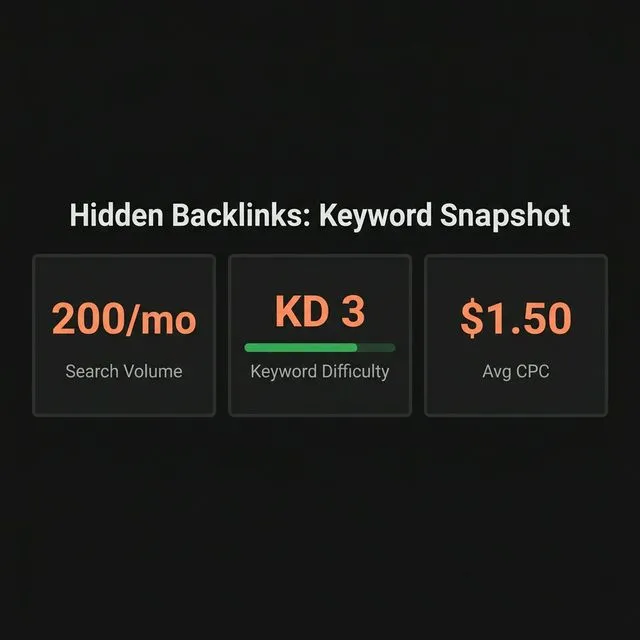
A hidden backlink is a link that is:
- Included in the page’s HTML
- Intended to pass
pagerankWeightto a target URL - Deliberately concealed from human visitors
The concealment can target the entire link (making it invisible) or just the link text (making the link exist but appear as though no link is there).
Common hidden link techniques:
| Technique | Method | Detection |
|---|---|---|
| White text on white background | color: #fff on white page | Rendering + color contrast analysis |
| Zero-pixel font | font-size: 0px | Rendering + layout analysis |
| CSS display:none | display: none or visibility: hidden | CSS property evaluation |
| Off-screen positioning | position: absolute; left: -9999px | Layout computation |
| Behind images | Link placed behind a covering element | Z-index and layout overlap detection |
| Single-pixel links | Link wrapped around 1×1 pixel element | Element size analysis |
| CSS opacity | opacity: 0 | CSS property evaluation |
| Matching background | color: #f5f5f5 on background: #f5f5f5 | Color contrast analysis |
| JavaScript cloaking | Serve different content to Googlebot | User-agent + IP detection |
How Google Detects Hidden Links: The Technical Reality
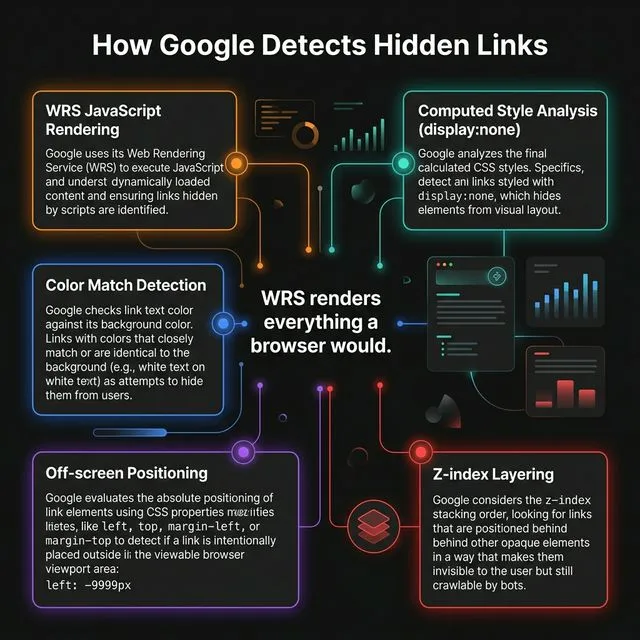
Google’s rendering pipeline
Since 2019, Google has used a Web Rendering Service (WRS) based on headless Chromium to fully render every page it crawls. This means:
- HTML is parsed — all link elements are identified
- CSS is applied — all styling rules are computed, including display, visibility, opacity, color, font-size, and position
- JavaScript is executed — dynamic content is rendered, including links injected or modified by scripts
- Layout is computed — the visual position and size of every element is calculated
- Visual state is evaluated — elements are assessed for visibility based on their computed CSS properties
After rendering, Google knows exactly what a user would see — and exactly what they wouldn’t.
API visibility attributes
The leaked API documentation contains attributes that suggest Google specifically tracks element visibility:
isHidden / visibilityScore: While the exact attribute names and their precise function are subject to interpretation, the API documentation includes references to visibility classification of page elements. Elements determined to be hidden — through CSS properties, positioning, or other concealment methods — receive different treatment than visible elements.
boilerplateStatus: This attribute classifies content as boilerplate (template) vs. editorial (unique). Hidden links are often placed in boilerplate areas where they’re less likely to be noticed — but the boilerplate classifier identifies these areas and reduces the signal value of links within them.
userVisibleSignal: References in the API to user-visible vs. non-user-visible signals suggest that Google evaluates whether each signal on a page (including links) would be visible to a human visitor.
Based on our reading of the API leak and Google’s rendering documentation: Google’s rendering pipeline provides complete CSS computation for every page element. Combined with visibility-related API attributes, this creates a comprehensive detection system where no CSS-based concealment technique remains viable.
Why Every Concealment Method Fails
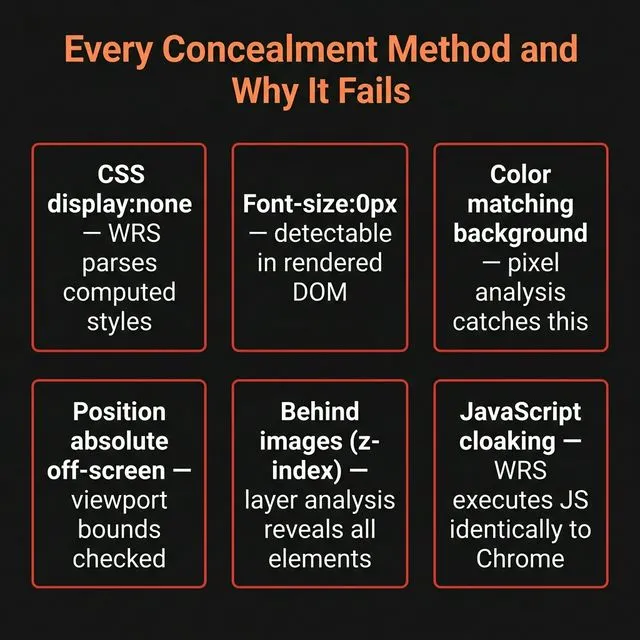
Method 1: Color matching (white on white)
Technique: Set link text color to match the page background.
Detection: Google’s rendering engine computes the final color values of both the text and the background. A contrast ratio analysis identifies text that matches or nearly matches its background — a clear signal of intentional concealment.
Google’s policy citation: “Hidden text and links — Using white text on a white background.”
Method 2: Zero-pixel or tiny fonts
Technique: Set font-size: 0px or font-size: 1px to make link text invisible.
Detection: CSS computation identifies computed font sizes below readable thresholds. A 0px or 1px font on a text element is a clear manipulation signal.
Method 3: CSS display/visibility
Technique: Apply display: none or visibility: hidden to the link element.
Detection: These are the most straightforward detections. Google’s CSS parser identifies these properties directly — any link within a display: none container is flagged.
Method 4: Off-screen positioning
Technique: Use position: absolute; left: -9999px to move the link off the visible viewport.
Detection: Layout computation identifies elements positioned outside the viewport boundaries. Elements with negative coordinates that place them off-screen are flagged.
Method 5: Behind other elements
Technique: Place the link behind an image using z-index stacking.
Detection: Z-index and overflow analysis identifies elements that are fully obscured by overlapping elements. Additionally, the click-through patterns (no clicks on a link that’s behind an image) create behavioral confirmation.
Method 6: JavaScript cloaking
Technique: Serve different content to Googlebot vs. human visitors based on user-agent or IP detection.
Detection: Google uses multiple detection methods:
- Variable user-agent strings that don’t always identify as Googlebot
- Comparison of cached page versions with fresh fetches
- Manual review when discrepancies are detected
- Third-party reporting from competitors or webmasters
Google’s cloaking policy explicitly prohibits serving different content to users and search engines.
The Consequences of Hidden Links
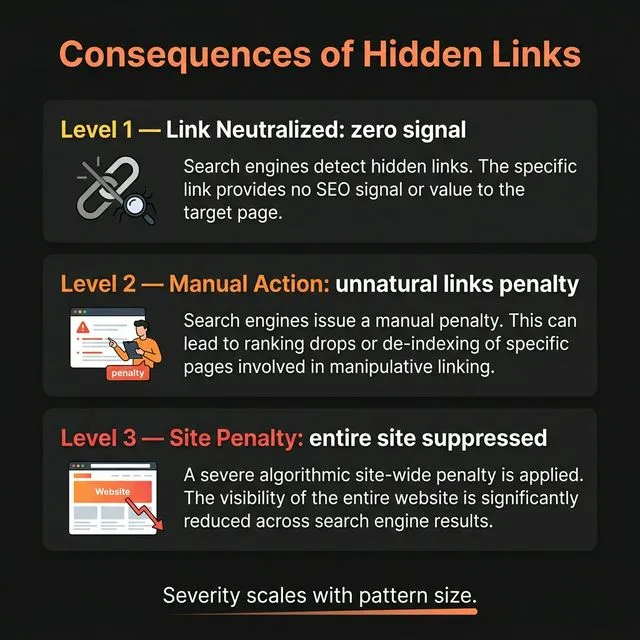
For the hiding site (outbound)
The site that hides the links faces:
- Manual action: “Unnatural links from your site” — unnatural backlinks manual action
- Algorithmic demotion: SpamBrain classifies the site as a link spam source
- Trust score reduction: Domain-level trust metrics decrease, affecting all pages
For the target site (inbound)
The site receiving hidden links may face:
- Link devaluation: Google removes the
pagerankWeightfrom detected hidden links - Guilt by association: If the target site commissioned the hidden links (participated in the scheme), they risk manual action
- No penalty if unaware: If the hidden links were placed without the target site’s knowledge, Google typically neutralizes the signal without penalizing the target
The economics don’t work
Even if a hidden link temporarily passes signal:
- Discovery is near-certain (Google renders every page)
- The signal is removed upon discovery
- The penalty often exceeds the temporary ranking benefit
- Competitors can report hidden links to accelerate detection
No link building agency offering legitimate services would use or recommend hidden links. The technique has a 100% failure rate over any meaningful timeframe.
Hidden Links vs. Legitimate Concealed Elements
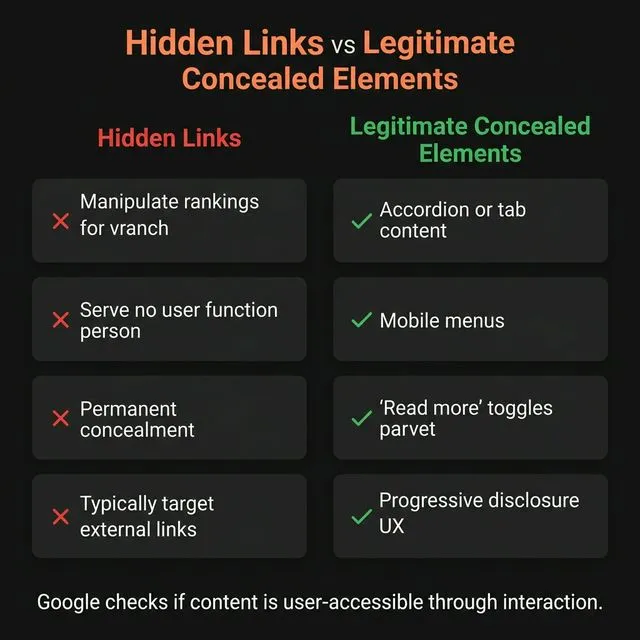
Not every non-visible link is spam. Some legitimate use cases exist:
| Scenario | Legitimate? | Why |
|---|---|---|
| Hamburger menu (mobile nav) | ✅ Yes | Links become visible on interaction; standard UX pattern |
| Accordion/expandable sections | ✅ Yes | Content is accessible on click; recognized by Google |
| ”Skip to content” accessibility links | ✅ Yes | Screen reader functionality; recommended by WCAG |
| Tabs with hidden content panels | ✅ Yes | Content is discoverable via interaction |
display:none with manipulative intent | ❌ No | Concealment for PageRank manipulation |
| Cookie consent overlays with links | ✅ Yes | Standard compliance mechanism |
Google’s rendering engine understands interactive patterns. Links in hamburger menus, accordions, and tab panels are not penalized because they become visible through standard user interactions. The distinction is intent: legitimate UX patterns vs. deliberate concealment for ranking manipulation.
Finding Hidden Links in Your Backlink Profile
If someone has placed hidden links to your site (without your knowledge), here’s how to check:
Step 1: Review unusual referring domains
In your Ahrefs backlink profile, filter for:
- Domains you don’t recognize
- Domains with suspicious content patterns
- Links with exact-match keyword anchors from unrelated sites
Step 2: Inspect the linking pages
Visit the linking page and check:
- Can you see the link? (Use Ctrl+F to search for your URL)
- Is the link in the visible content or in a hidden element?
- View the page source — is your URL present in an area with
display: none,visibility: hidden, or suspicious CSS?
Step 3: Check browser dev tools
Open the linking page in Chrome DevTools (F12):
- Use the element inspector to highlight your link
- Check the computed CSS properties
- Verify the link is visible in the rendered viewport
Step 4: Disavow if necessary
If you find hidden links pointing to your site from suspicious sources, add them to your disavow file. This protects you from any association with the hiding scheme even though Google likely already neutralized the signal.
What This Means for GEO and Source Authority
Hidden links have zero value for GEO. AI Overview source selection requires visible, contextual citations from trusted sources. A hidden link provides:
- No
context2signal (invisible content provides no contextual signal) - No user engagement (hidden links receive no clicks, generating no NavBoost data)
- No editorial endorsement (concealment is the opposite of endorsement)
- Potential trust damage if detected
The AI Overview source selection patent (US20240289407A1) explicitly weights visible, contextual citations. Hidden links fail every qualification criterion.
The Source ? Consensus ? Trust cycle requires transparency at every layer. Hidden links are the antithesis of Source authority � they attempt to manufacture trust without genuine endorsement, and every detection system Google has built since 2019 is designed to identify and neutralize them.
At Get Me Links, every link we build is visible, contextual, and editorially justified. That’s not just ethics � it’s the only strategy that produces durable rankings. Talk to us about building a clean, sustainable link profile ?
Frequently Asked Questions
What are hidden backlinks?
Hidden backlinks are links deliberately concealed from human visitors using CSS tricks (matching text to background color, zero-pixel fonts, display:none, off-screen positioning) or JavaScript cloaking. They’re designed to be invisible to users while passing PageRank to search engines. Google detects all of these methods through its full rendering pipeline.
Can Google detect hidden links?
Yes. Since 2019, Google renders every page using headless Chromium, computing CSS, executing JavaScript, and evaluating visual layout. Every CSS-based concealment method — white text on white background, display:none, font-size:0, off-screen positioning — is detected because Google sees the page exactly as users see it.
Are hidden backlinks a penalty risk?
Yes. The site hiding the links risks a “unnatural backlinks from your site” manual action. The target site risks penalty only if they participated in the scheme. If hidden links were placed without the target’s knowledge, Google typically neutralizes the signal without penalizing the target.
How do I find hidden links pointing to my site?
Review your backlink profile in Ahrefs for unusual referring domains. Visit suspicious linking pages and use Ctrl+F to search for your URL. If the URL is in the HTML but not visible on the page, inspect the element with Chrome DevTools to check for concealment CSS. Disavow confirmed hidden links.
Is linking from a hamburger menu considered a hidden link?
No. Google’s rendering engine understands standard UX patterns like hamburger menus, accordion sections, and tab panels. These are interactive elements where content becomes visible through user interaction — not concealment for manipulation. Google specifically does not penalize links in standard navigation patterns.
References:
- Google. (2024). Content Warehouse API Documentation (Leaked). Attributes cited: visibility-related attributes,
boilerplateStatus,pagerankWeight. - SparkToro & Fishkin, R. (2024). An Anonymous Source Shared Thousands of Leaked Google Search API Documents with Me. SparkToro Blog.
- Google. (2024). Hidden text and links spam policy. Google Search Central.
- Google. (2024). Cloaking spam policy. Google Search Central.
- Google. (2019). Understand JavaScript SEO basics — Web Rendering Service. Google Search Central.
- Google. (2024). Patent US20240289407A1: AI Overview source selection and scoring. USPTO.
- W3C. (2023). WCAG 2.1 — Skip navigation links. W3C Web Accessibility Initiative.
- Wikipedia. (2025). Cloaking (search engine).